A Telegram bot is an automated account you chat with. A shopping bot is one built to help with buying: tracking prices, watching stock, surfacing offers or answering product questions. Because it lives inside an app you already use, it can be convenient. It also means you are handing a piece of your shopping behaviour to a third party.
This guide explains what shopping bots typically do, where they fall short, and how to judge one before you rely on it. It is written to be useful whichever bot you end up using.
Key takeaway: a good shopping bot does a narrow job clearly, tells you what it cannot do, and asks for nothing it does not need.
What a Telegram Shopping Bot Is
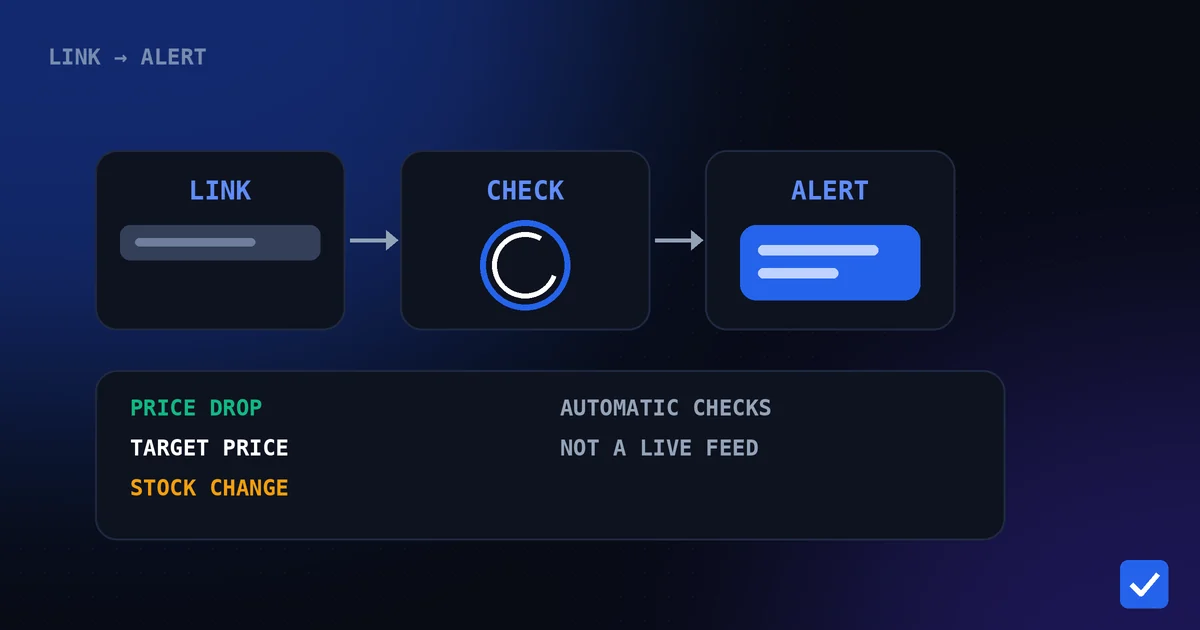
You message the bot, usually by sending a link or a command, and it replies in the chat. There is no separate app or website login for many of them. What the bot does behind that chat window differs: some only tell you a price, others watch products on a schedule and message you when something changes.
What They Can Do
| Capability | What it means | Worth checking |
|---|---|---|
| Price tracking | Records a product's price and notices changes. | Which stores and countries are supported |
| Price-drop alerts | Messages you when the price falls. | Whether you can set your own target price |
| Stock alerts | Tells you when a product is back in stock or sold out. | Whether it covers the stores you shop on |
| Coupon alerts | Flags coupons on product pages. | Whether it is store-specific and what it can detect |
| Price history | Shows how the price has moved. | Whether it is the store's history or only what the bot recorded |
| Product lookup | Returns details about a link you send. | Where the information comes from |
No single bot does everything well, and the same feature can behave differently from one bot to the next. Read what each one actually says it covers.
Where Bots Help
- Watching for you. A bot can check dozens of products without you remembering to.
- Meeting you where you are. Alerts arrive in an app you already open.
- Low setup effort. Often just a link in a chat.
- One place for several products. A watchlist is easier than a set of browser tabs.
Where Bots Fall Short
- Coverage gaps. Many support only certain stores, countries or product types.
- Not instant. Alerts follow checks, so a short delay between a change and the message is normal.
- Uneven data. A bot's idea of a price may differ from what you see at checkout, especially with offers.
- History limits. A bot usually knows only what it recorded since you started tracking.
- No decision-making. A bot reports what changed. Whether to buy is still your call.
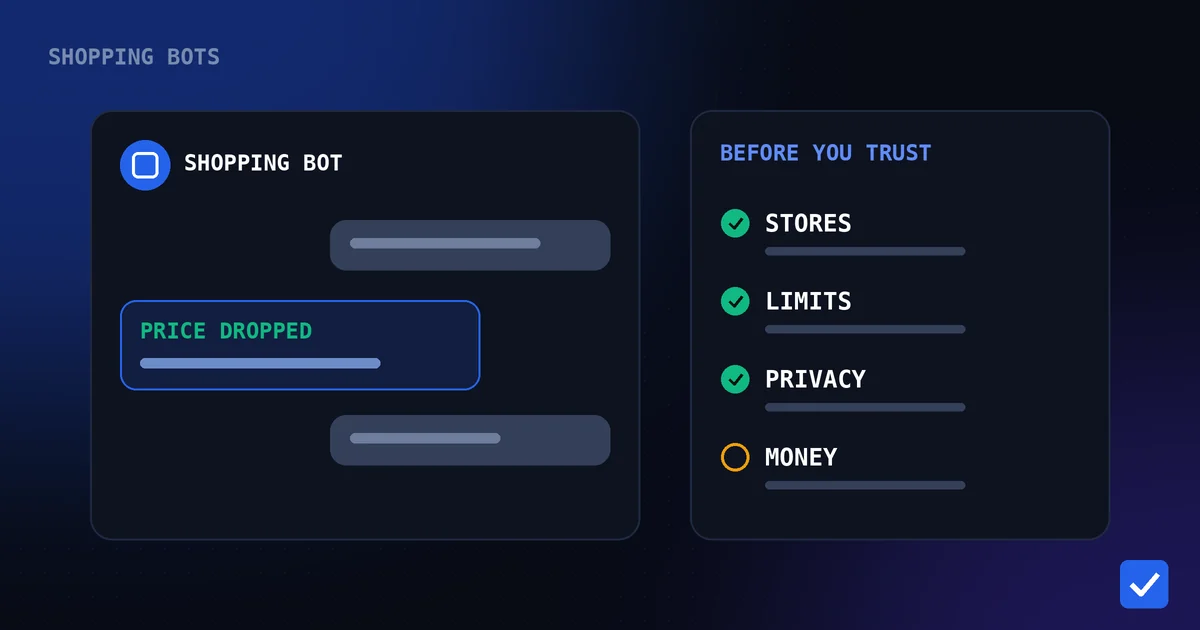
How to Evaluate a Shopping Bot
- Does it say plainly which stores it supports? Vague claims such as "all stores" are a warning sign.
- Are its limits stated? A trustworthy tool tells you what it cannot do.
- Does it ask for more than it needs? A price tracker does not need your payment details or your shop passwords.
- Is there a privacy policy and a way to contact the operator? Check that they exist and are specific.
- Does it disclose how it earns money? Affiliate links and paid plans are normal, but they should be disclosed.
- Are the promises realistic? Beware of "guaranteed lowest price" and "real-time" claims you cannot verify.
- Does it behave consistently? Try it on a product you can check by hand and compare.
Privacy Considerations
Any bot you message can see what you send it, such as the product links you share and the commands you use. Think about whether that matters to you, and read the bot's privacy information before trusting it. Never share passwords, one-time codes or payment details with a shopping bot. A price-tracking bot has no need for them.
Telegram bots also work through Telegram's own systems, so your Telegram account settings affect what the bot can see about you. Review those settings independently of any one bot.
An Example: DealTrackerProBot
DealTrackerProBot is a Telegram bot for tracking prices on six Amazon marketplaces and Flipkart. You send a supported product link, it checks the product automatically, and it messages you about price drops, target prices, stock changes and, on Amazon products, supported coupons when detected. Free users can track up to 10 active products, and Premium removes that limit. It does not claim real-time updates or guaranteed lowest prices, and it records history from when tracking begins.
If you want to see how it measures up against the checklist above, read the privacy policy, the supported stores page and the Telegram commands reference. How Telegram price alerts work goes into the alert process.
Is a bot the right tool for you?
A bot suits you if you buy a handful of products across a few stores and want to be told when something changes. If you shop on stores a bot does not support, or you prefer not to use Telegram, a browser-based tool may fit better. Either way, the evaluation questions apply.
Related pages: How It Works, Telegram Commands, Supported Stores, Privacy Policy, Pricing, Affiliate Disclosure